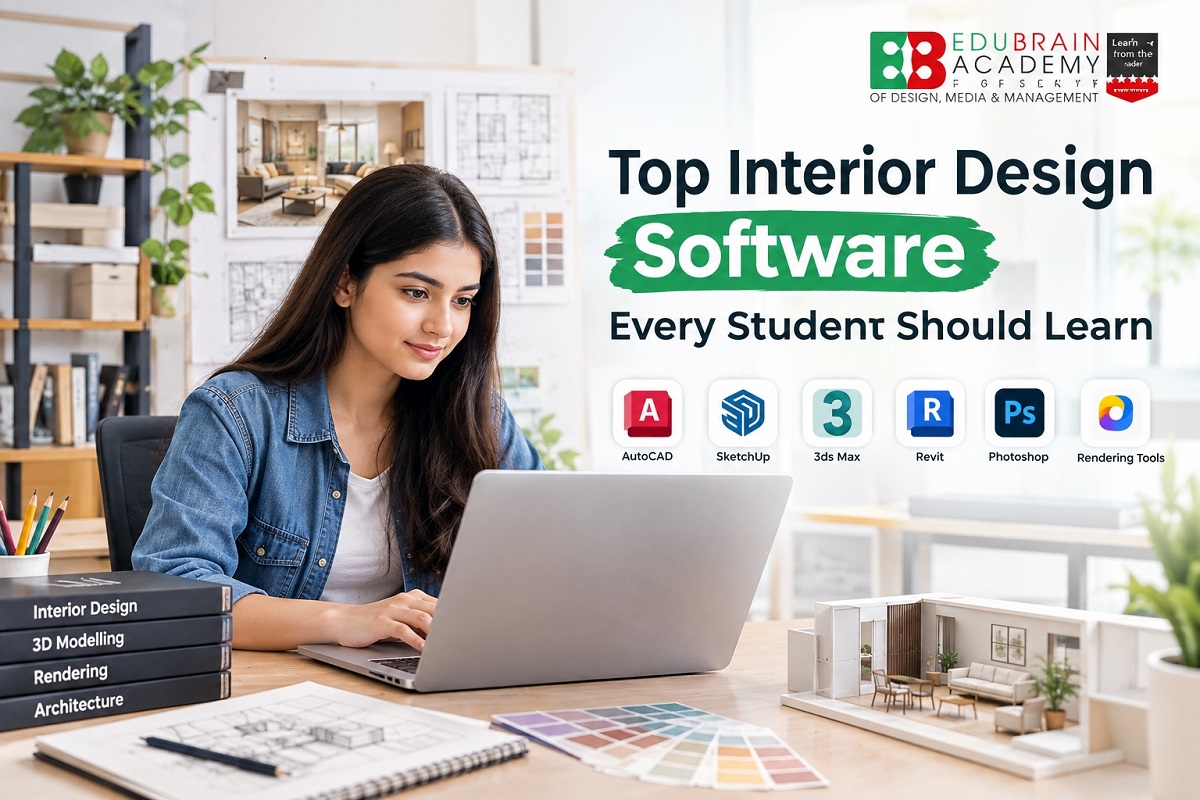
Interior design is no longer limited to hand-drawn plans, material samples and physical models. Digital tools now play an important role in drafting, 3D modelling, rendering, documentation and presenting design ideas. For students, learning the right interior design software can make it easier to turn concepts into accurate drawings, realistic visualisations and professional project presentations.
However, students do not need to learn every software programme available. The better approach is to understand what each tool is designed to do and build skills progressively. AutoCAD can help with technical drawings, SketchUp is useful for 3D modelling, 3ds Max supports detailed modelling and visualisation, while Revit introduces students to BIM-based workflows. Autodesk currently describes AutoCAD as a 2D and 3D CAD tool, Revit as BIM software, and 3ds Max as 3D modelling and rendering software.
Why Software Skills Matter in Interior Design
Interior design students work between creativity and technical execution. A concept may begin as a sketch, but it eventually needs to be communicated through plans, elevations, layouts, 3D views, material selections and presentations.
Software knowledge helps students:
-
Create accurate floor plans and technical drawings
-
Develop 3D models of rooms and spaces
-
Experiment with furniture layouts
-
Apply materials, textures and lighting
-
Produce realistic visualisations
-
Prepare client presentations
-
Develop digital portfolios
-
Communicate design ideas more clearly
-
Understand professional design workflows
The objective should not simply be to collect certificates in different programmes. Students should learn how each tool fits into an actual design process.
1. AutoCAD for Technical Drawings
AutoCAD is one of the most important tools for students who want to understand technical drafting and documentation.
Students can use it to work on:
-
Floor plans
-
Furniture layouts
-
Elevations
-
Sections
-
Dimensions
-
Electrical layouts
-
Ceiling plans
-
Construction-related drawings
-
Detailed working drawings
Autodesk describes AutoCAD as software for 2D and 3D CAD, with tools for drafting, annotation, automation and design documentation.
For beginners, AutoCAD is particularly valuable because it teaches students how to translate an interior concept into a technically organised drawing.
What students should learn:
Layers, dimensions, blocks, annotations, layouts, plotting, scales, drawing standards and accurate measurements.
2. SketchUp for 3D Interior Modelling
After learning basic drafting, students can move into SketchUp to understand spaces in three dimensions.
SketchUp allows designers to build and modify 3D models while working with shapes, materials, textures, components and different visual styles. Its current learning resources cover basic modelling, materials and textures, model organisation and visibility controls.
Interior design students can use SketchUp to create:
-
Living room concepts
-
Bedroom layouts
-
Kitchen designs
-
Office interiors
-
Retail spaces
-
Furniture concepts
-
Ceiling designs
-
Custom interior elements
One of its biggest advantages for students is the ability to quickly visualise proportions and spatial relationships before moving towards more detailed presentation work.
3. 3ds Max for Advanced 3D Visualisation
3ds Max is useful for students who want to develop advanced 3D modelling and visualisation skills.
It can be used for creating detailed models, furniture elements, architectural interiors and presentation-ready visualisations. Autodesk currently positions 3ds Max as a 3D modelling, animation and rendering tool that can also be used for architectural visualisation.
Students can gradually learn:
-
Advanced modelling
-
Furniture modelling
-
Materials
-
Textures
-
Lighting
-
Camera composition
-
Interior scene creation
-
Rendering workflows
It can take longer to master than basic modelling software, so students should focus first on modelling fundamentals before attempting highly detailed scenes.
4. Revit for BIM-Based Design Workflows
Revit is different from conventional 3D modelling tools because it is based around Building Information Modelling (BIM).
For students interested in larger architectural, commercial or multidisciplinary projects, understanding basic Revit workflows can be valuable. Autodesk describes Revit as software for planning, designing, constructing and managing buildings using BIM, with capabilities for generating plans, elevations, sections, schedules and 3D views.
Students can explore:
-
Building components
-
Walls, doors and windows
-
Floor plans
-
Sections and elevations
-
3D views
-
Schedules
-
Documentation
-
Model coordination
Students do not necessarily need advanced Revit expertise at the beginning. Basic familiarity can help them understand how interior design connects with broader building documentation and coordination.
5. Rendering Software for Realistic Presentations
Creating a 3D model is only one part of the workflow. Students also need to understand how lighting, materials, textures and cameras can transform a basic model into a convincing visual presentation.
Depending on the software workflow, students may encounter rendering tools such as:
-
V-Ray
-
Enscape
-
Lumion
-
Twinmotion
The right option depends on the software environment, project requirements and the type of visualisation a student wants to produce.
For example, a student creating an interior scene may need to understand how to adjust:
-
Natural lighting
-
Artificial lighting
-
Material reflectivity
-
Surface textures
-
Camera angles
-
Shadows
-
Colour balance
-
Rendering quality
The goal is not simply to produce a realistic image. A good render should communicate the design intention clearly.
6. Adobe Photoshop for Presentation and Post-Production
Interior designers also need presentation skills. Adobe Photoshop can help students refine rendered images, create mood boards and prepare visual presentation material.
It can be useful for:
-
Render post-production
-
Mood boards
-
Material boards
-
Image editing
-
Presentation graphics
-
Concept compositions
-
Portfolio pages
A student may create a 3D render using one programme and then use Photoshop to adjust the image and combine it with material samples, references, annotations or other presentation elements.
This makes Photoshop particularly useful for portfolio development.
7. Adobe Illustrator and InDesign for Design Communication
Students who want to create polished presentations can also explore Adobe Illustrator and Adobe InDesign.
Illustrator can be useful for vector-based graphics, diagrams, icons and presentation elements, while InDesign is more suitable for arranging larger documents such as portfolios, project books and presentation boards.
These tools are not replacements for CAD or 3D software. Instead, they support the communication stage of the design process.
A strong interior design project may therefore involve several programmes rather than relying on one application for everything.
8. How These Software Tools Work Together
One of the most important things students should understand is that interior design software is usually part of a workflow.
A typical learning sequence could look like this:
Concept → AutoCAD → 3D Modelling → Rendering → Post-Production → Presentation
For example:
-
Develop the initial concept and space planning.
-
Create accurate 2D drawings in AutoCAD.
-
Build the space in SketchUp or another 3D modelling platform.
-
Add materials, furniture and lighting.
-
Create visualisations using an appropriate rendering tool.
-
Refine images in Photoshop.
-
Arrange the final project into a professional presentation or portfolio.
This approach is more useful than trying to learn five or six programmes simultaneously.
Which Interior Design Software Should Beginners Learn First?
Students should prioritise software according to their current level.
|
Learning Stage |
Software |
Main Purpose |
|
Beginner |
AutoCAD |
2D drafting and technical drawings |
|
Beginner |
SketchUp |
3D modelling and spatial visualisation |
|
Intermediate |
Photoshop |
Presentation and image editing |
|
Intermediate |
Rendering Software |
Realistic visualisation |
|
Advanced |
3ds Max |
Detailed 3D modelling and visualisation |
|
Advanced |
Revit |
BIM and building documentation |
|
Advanced |
Illustrator/InDesign |
Professional presentation and portfolio work |
There is no universal requirement for every student to master all of these tools. The most useful combination depends on the student's career direction, course curriculum and the type of projects they want to work on.
How to Build Software Skills Through Projects
Watching tutorials can introduce students to software, but projects are what help turn software knowledge into practical ability.
Instead of learning isolated commands, students can build projects such as:
Project 1: Residential Bedroom
Create a measured bedroom layout, prepare a furniture plan in AutoCAD, model the space in SketchUp and produce a basic visual presentation.
Project 2: Living Room
Develop a concept based on a specific design style. Create the layout, select materials, build a 3D model and produce a rendered view.
Project 3: Kitchen
Prepare technical drawings and experiment with cabinet layouts, materials, lighting and storage.
Project 4: Commercial Interior
Create a small office, café or retail concept that demonstrates space planning, circulation, furniture placement and presentation skills.
These projects can eventually become part of a student's portfolio.
Software Skills Should Support Design Skills
Learning software should not replace fundamental interior design knowledge.
Students still need to understand:
-
Space planning
-
Colour theory
-
Materials
-
Furniture
-
Lighting
-
Human dimensions
-
Circulation
-
Design principles
-
Building services
-
Technical drawings
-
Sustainability
-
Client requirements
Software is a tool for applying these principles.
A technically perfect 3D model will not automatically become a good interior design project if the space is poorly planned or does not respond to the user's requirements.
What Should Students Look for in an Interior Design Course?
When comparing programmes, students should look beyond the number of software names mentioned in the curriculum.
Important questions include:
-
Which software versions are taught?
-
Is training practical or mainly theoretical?
-
Do students work on live or simulated projects?
-
Are technical drawings included?
-
Is 3D modelling part of the curriculum?
-
Is rendering covered?
-
Are students required to create portfolios?
-
Do students receive studio-based practice?
-
Are projects reviewed by faculty?
-
Is there exposure to industry workflows?
For students researching an interior design course in Delhi, software training should be evaluated alongside curriculum, practical projects, faculty support, portfolio development, course duration and overall programme structure.
How Edu Brain Can Help Students Develop Software Skills
Edu Brain Academy's interior design programmes include software-oriented learning alongside broader interior design concepts. The course options include a Diploma in Interior Software, as well as longer interior design programmes for students seeking broader design education.
The Diploma in Interior Software shown on the current course information is a 6-month programme with a displayed fee of ₹90,000 PA. Students should verify the latest fee, curriculum and admission details directly before enrolment.
The important point for students is to look for a programme where software is connected with practical design work rather than taught as isolated computer training.
Want to Learn Interior Design Software Practically?
Students can build stronger skills by learning design concepts alongside tools such as AutoCAD, SketchUp, 3ds Max and other industry-relevant software. If you are planning to pursue professional interior design training, connect with Edu Brain to learn more about the available course options.
📞 Phone: +91 9319338333
✉️ Email: eduinfo@edubrain.in
A Practical Software Learning Roadmap
Students can make their learning more manageable by following a staged approach:
Stage 1 — Technical Foundation
Start with AutoCAD and learn accurate drafting, dimensions, layers and layouts.
Stage 2 — 3D Understanding
Move into SketchUp or another suitable modelling platform and create complete interior spaces.
Stage 3 — Visualisation
Learn materials, lighting, cameras and rendering through a suitable rendering workflow.
Stage 4 — Presentation
Use Photoshop and other presentation tools to improve project boards and portfolio pages.
Stage 5 — Advanced Workflow
Explore 3ds Max or Revit based on the type of interior design work you want to pursue.
This progression allows students to build one skill on top of another instead of trying to master everything at once.
Build a Portfolio Around Software Skills
Software proficiency becomes much more meaningful when students can demonstrate what they have created.
A student portfolio could include:
-
Floor plans
-
Furniture layouts
-
Working drawings
-
3D models
-
Material boards
-
Mood boards
-
Rendered interiors
-
Before-and-after concepts
-
Furniture designs
-
Residential projects
-
Commercial interior projects
Each project should explain the design problem, concept, process and outcome. Simply uploading screenshots of software interfaces is less useful than demonstrating how the software helped solve a design challenge.
Start Building Your Interior Design Skills
Students interested in interior design should aim to combine creative thinking, technical knowledge, software proficiency and practical project experience. The right software combination can vary depending on whether the student is interested in residential interiors, commercial projects, visualisation, furniture, documentation or broader architectural workflows.
A structured programme can provide a useful environment for learning these skills through projects and guided practice. Edu Brain Academy offers interior design programmes with different durations and specialisations, allowing students to compare options based on their learning goals.
For course details, curriculum, eligibility and the latest fee information, students can review the relevant programme information before making an admission decision.
Frequently Asked Questions (FAQs)
1. Which software is most important for interior design students?
AutoCAD and a 3D modelling tool such as SketchUp are useful starting points for many students. Rendering and presentation software can then be added according to the student's career goals.
2. Is AutoCAD necessary for interior design?
AutoCAD is highly useful for learning technical drafting, floor plans, elevations, dimensions and working drawings. Students should also develop broader design skills alongside CAD knowledge.
3. Should interior design students learn SketchUp?
Yes. SketchUp can help students understand 3D modelling and communicate spatial concepts visually. Its current tools support 3D modelling, materials, textures and model organisation.
4. Is Revit useful for interior designers?
Revit can be useful for students who want to understand BIM-based workflows and work on projects involving broader building documentation and coordination.
5. Should students learn 3ds Max?
Students interested in detailed 3D modelling and visualisation can benefit from learning 3ds Max. It is particularly relevant when advanced modelling and rendering form part of their intended workflow.
6. Do interior design students need Photoshop?
Photoshop is useful for image editing, mood boards, presentation graphics and render post-production. It can complement rather than replace CAD and 3D modelling software.
7. Do students need to learn every interior design software?
No. Students should first become proficient in a core set of tools and then add specialised software according to their career goals, curriculum and project requirements.
8. Can software skills help with an interior design portfolio?
Yes. Software can help students create technical drawings, 3D models, rendered visuals and presentation boards that demonstrate both their design thinking and technical abilities.
Conclusion
Learning interior design software is an important part of developing modern design skills, but software alone does not make a student a strong designer. AutoCAD can build technical drafting skills, SketchUp can develop 3D modelling ability, rendering tools can improve visual communication, while Revit and 3ds Max can introduce more advanced workflows. Photoshop and other presentation tools can then help students communicate their work professionally.
The best approach is to learn these tools through actual interior design projects, build a portfolio and gradually develop a workflow that matches individual career goals. When software knowledge is combined with space planning, materials, lighting, technical understanding and creative problem-solving, students are better prepared to move from classroom concepts towards professional interior design work.